
How to Evaluate HMOs, Serviced Accommodation and BRRRR Deals Without Breaking Your Spreadsheet
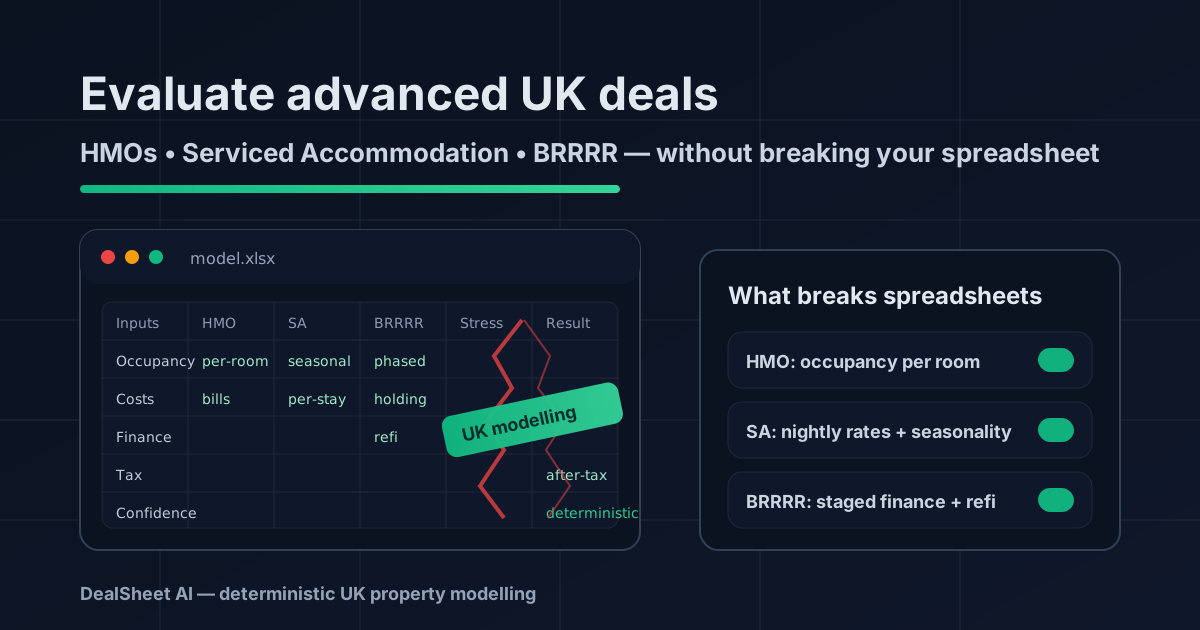
If you’ve ever tried to do HMO deal analysis, a serviced accommodation calculator UK model, or a BRRRR deal calculator UK in a spreadsheet, you’ll know the moment it breaks:
- One tab for rent, one for bills, one for finance… then a “Refurb” tab… then a “Seasonality” tab… then a “Just one more thing” tab.
- Inputs get duplicated.
- Assumptions drift from deal to deal.
- And the number you care about most (cashflow, ROI, DSCR, refinance outcome) becomes impossible to trust.
This post is a practical framework to analyse HMO SA BRRRR deals in a way that stays consistent across properties—without your spreadsheet turning into a fragile mess.
We’ll cover:
- Why advanced strategies break most spreadsheets
- HMO occupancy and per-room modelling
- Serviced accommodation nightly rates, variable costs and seasonality
- BRRRR staging, finance costs and refinance modelling
- Red flags and deal killers specific to each strategy
- How DealSheet AI keeps models deterministic and UK-specific so you can compare deals cleanly
Why advanced strategies break most spreadsheets
Standard single-let buy-to-let modelling is comparatively stable:
- One tenancy
- One monthly rent
- Relatively predictable costs
- One financing structure
- One “steady state”
HMOs, serviced accommodation (SA), and BRRRR deals add three things spreadsheets hate:
1) Too many “states” (time phases)
BRRRR is the obvious example—purchase, refurb, refinance, then the let. But SA has phases too (high/low season, maintenance downtime, relaunch pricing, platform algorithm resets). HMOs can have partial occupancy, rent increases, room-by-room refurb cycles, and licensing changes.
Spreadsheets tend to average these phases into a single monthly figure, which hides risk.
2) Too much variability (inputs aren’t “one number”)
- HMO: occupancy is per room and changes over time
- SA: income is nightly-rate × occupancy × seasonality × channel mix
- BRRRR: financing costs change with the product and stage
In a spreadsheet, variability usually means:
- a lot of manual overrides
- hidden assumptions buried in cells
- inconsistent approach between deals
3) Too many coupled assumptions (one change cascades)
If you change one assumption (e.g., “average SA occupancy from 72% to 62%”), a correct model should update:
- revenue
- cleaning cycles (and cleaning costs)
- linen costs
- platform commission
- utilities (part fixed, part variable)
- replacement reserves and maintenance
- taxes (and whether you’re VAT-registered)
In a typical spreadsheet, that’s a chain of linked cells spread across sheets—easy to break, hard to audit.
If you liked the idea of consistent assumptions across every deal, you’ll also like: Single source of truth for your property numbers.
A simple rule: model “steady state” and “stress” separately
To keep advanced strategy analysis sane, split your thinking:
- Steady state: what the deal looks like in normal operating conditions
- Stress case: what breaks it (and how quickly)
This is more useful than one “best guess” number. A spreadsheet usually forces you into one answer; a robust deal evaluation forces you into a range.
Quick comparison: what each strategy actually needs
Here’s a compact checklist you can use to sanity-check your model. If your spreadsheet doesn’t handle these, it’s not evaluating the strategy—it’s approximating it.
| Strategy | Core driver | What must be modelled (minimum viable) | Typical spreadsheet failure |
|---|---|---|---|
| HMO | Rooms × occupancy × room rent | Per-room income, per-room voids, bills included, management, licensing, compliance capex | Treats it like a single-let with “higher rent” |
| SA | Nightly rate × occupancy × seasonality | Seasonality, channel commission, cleaning per booking, utilities, maintenance downtime | Uses one “monthly rent” proxy |
| BRRRR | Staged finance + valuation outcome | Purchase costs, refurb timeline, bridging/holding costs, refinance LTV, rental stress tests | Collapses everything into a single ROI cell |
Part 1: HMO occupancy modelling (the bit most models get wrong)
An HMO isn’t “a property that rents for more.” It’s a small portfolio inside one address.
Start with per-room economics
For HMO deal analysis, build from:
- Room count
- Rent per room
- Occupancy per room (or an overall occupancy rate applied to room-nights)
- Average void per room per year (or a churn rate)
Then, map costs into:
- Fixed costs (don’t change much with occupancy): licensing, broadband base plan, council tax (if applicable), insurance, some utilities standing charges
- Variable costs (move with occupancy): utilities usage, consumables, wear and tear, cleaning (if included), maintenance frequency
If you only model one “occupancy” figure, you miss the most common HMO failure mode: partial occupancy. Three rooms occupied and one empty isn’t “75% of a single-let”; it’s a different operational reality (more viewings, more admin, more churn).
Don’t ignore HMO-specific line items
Your steady-state HMO model should include:
- Licensing: application and renewal fees, plus any conditions
- Compliance capex: fire doors, emergency lighting, interlinked alarms, EICR remedials
- Bills-included reality: tenants leave lights and heating on; model utilities conservatively
- Management: full management for HMOs can be higher than single-lets (and self-management has a time cost)
- Maintenance reserve: HMOs tend to wear faster; plan for it explicitly
HMO red flags and deal killers (UK-specific)
These are the “spreadsheet passes, real world fails” issues:
- Licensing / Article 4 mismatch: the deal only works if it’s licensable or if the planning position is clean. Don’t assume.
- Room sizes and regs: if a “bedroom” won’t meet minimum standards, your room count is fiction.
- Tenant profile mismatch: “professional HMO” rents assumed, but the area supports only low-demand tenants (higher churn, arrears risk).
- Bills explosion: a model using last year’s energy costs can be wildly wrong. Stress test it.
- Single point of failure: one void can wipe the margin; if your margin is thin, the deal is fragile.
Part 2: Serviced accommodation (SA) modelling: nightly rates, variable costs and seasonality
Serviced accommodation is a hospitality business with property economics. That’s why most “rent-based” models lie.
Revenue: nightly rate × occupancy × seasonality
The simplest honest SA model has:
- Base nightly rate (weekday/weekend splits if you can)
- Occupancy rate (but not as one number—by season)
- Seasonality profile (high/shoulder/low or monthly)
- Channel mix (Airbnb/Booking/direct) and commission
Even if you don’t have perfect data, a seasonal split beats a single annual average.
Costs: separate per-stay vs per-night vs fixed
Most SA spreadsheets understate costs because they treat cleaning like a fixed monthly expense. It isn’t. Cleaning is usually per booking.
Model:
- Per booking: cleaning, laundry/linen turnaround, consumables reset, key handover (if applicable)
- Per night (variable-ish): utilities usage, wear and tear, toiletries, platform fees (sometimes % of revenue)
- Fixed: insurance, broadband, subscriptions (pricing tools, dynamic pricing, PMS), council tax or business rates (depends on qualification), accountant
Also model downtime:
- maintenance/repairs
- deep cleans
- refresh cycles (paint, furnishings replacement)
- occasional “blocked nights” for owner use or compliance
SA red flags and deal killers (UK-specific)
Serviced accommodation has a few unique killers:
- Planning / enforcement risk: some councils restrict short-term lets; your model should include a plan B (medium let / AST) and whether that works.
- Seasonality dependence: if the deal only works in high season, it’s not a deal—it’s a gamble.
- Overestimated occupancy: many novice models assume 75–85% occupancy year-round. Stress test at 45–55% too.
- Cleaning and ops not solved: if you don’t have reliable cleaning at the right price, the business fails operationally, not financially.
- Revenue concentration: one platform policy change can tank bookings. A resilient model assumes platform risk.
If you’ve been looking for a serviced accommodation calculator UK that doesn’t just convert SA to “equivalent rent,” this is the key: you must model stays and seasons, not just months.
Part 3: BRRRR modelling: finance stages and refinance outcomes
BRRRR is where spreadsheets most often break because there’s no single cashflow; there are cashflows across phases.
The minimum BRRRR phases you must model
At minimum:
- Purchase phase (cash + fees)
- Refurb phase (capex + timeline + contingencies)
- Holding costs (finance, utilities, insurance, council tax)
- Refinance phase (new valuation, LTV, product fees, ERC constraints)
- Steady-state rental phase (income, costs, tax position)
If any of these are missing, a spreadsheet can show a strong ROI while the deal still fails in reality (usually due to cashflow timing).
Bridging/short-term finance: cost it like a grown-up
Common BRRRR modelling misses:
- arrangement fees
- exit fees
- valuation/legal fees
- retained interest vs serviced interest
- minimum term / exit penalties
Even if you don’t have exact terms, you can model a conservative monthly cost and a realistic timeline.
Refinance modelling: the two numbers that matter
BRRRR success is mainly two constraints:
- Refinance value and LTV: how much debt can you place on the end valuation?
- Rental stress test: does rent support the mortgage under lender stress rates and ICR rules?
If your refinance proceeds don’t clear your bridge (plus fees), you may need to leave more cash in—or you may not be able to exit at all.
BRRRR red flags and deal killers (UK-specific)
- Valuation optimism: if the deal needs a top-of-range valuation to refinance out, it’s fragile.
- Timeline risk: delays are normal; your finance cost must survive them.
- Cost overruns: refurbs almost always move; if the margin is tight, one surprise wipes it.
- Exit route missing: can you switch to a vanilla BTL mortgage given the property type, construction, or area?
- After-tax reality (Section 24): a BRRRR can look great pre-tax and collapse after tax for higher rate taxpayers. Model it properly.
If you want the deeper mindset behind staged modelling, also see: Structuring complex deals.
A practical framework to analyse all three consistently
Here’s a clean workflow that works across HMO, SA, and BRRRR without producing a spreadsheet monster.
Step 1: Use a fixed “assumptions profile”
Create a default profile you apply to every deal:
- void assumptions (per room for HMOs, per season for SA)
- management % and/or fixed fees
- maintenance reserve
- utilities assumptions
- finance stress rate
This prevents “moving goalposts” analysis where each deal is evaluated with different optimism.
Step 2: Model steady state and stress case (minimum two scenarios)
For each strategy, pick one stress that mimics reality:
- HMO: one room void for 2–3 months + higher bills
- SA: low season occupancy sustained + higher cleaning/ops cost
- BRRRR: refurb delay + higher finance cost + conservative valuation
If the deal fails under a realistic stress, it’s not resilient.
Step 3: Track cash timing explicitly (especially BRRRR)
It’s not enough to be profitable over 12 months if you run out of cash at month 3.
For BRRRR, the key outputs should include:
- peak cash invested
- months of negative cashflow
- refinance proceeds and remaining cash left in
Step 4: Identify deal killers before you “perfect the model”
Don’t spend hours refining a spreadsheet if the deal is dead on arrival. Kill it quickly:
- licensing/planning issues
- unrealistic rents/nightly rates
- ops constraints (SA cleaning, HMO management, refurb capacity)
- refinance constraints (BRRRR exit)
How DealSheet AI keeps these strategies consistent (deterministic UK modelling)
The reason DealSheet AI exists is that investors don’t just need a calculator—they need repeatable analysis. In advanced strategies, repeatability is the edge.
Here’s what “deterministic UK modelling” means in practice:
- Same inputs → same outputs every time (no hidden spreadsheet drift)
- UK-specific calculations (stamp duty rules, Section 24 logic, common UK cost structures)
- Strategy-aware drivers (rooms and occupancy for HMOs, nights and seasonality for SA, phases for BRRRR)
- Clear separation of assumptions vs results, so you can compare deals apples-to-apples
This matters because investors don’t lose money from one bad formula; they lose money from inconsistent decision-making across deals.
Final checklist: are you evaluating the strategy or approximating it?
Before you trust the numbers, ask:
- Does the model reflect the strategy’s real driver (rooms / nights / stages)?
- Can I stress test in 30 seconds without rewriting formulas?
- Do I know the deal killer risks and have I priced them in?
- Would I make the same decision if I analysed the next deal using the same assumptions?
If the answer is “no,” your spreadsheet isn’t a model—it’s a story you’re telling yourself.
Conclusion
HMOs, serviced accommodation, and BRRRR deals are attractive because they can outperform vanilla buy-to-lets—but they demand modelling that is:
- occupancy-aware (HMO and SA)
- cost-structure-aware (variable vs fixed)
- phase-aware (BRRRR)
- stress-tested (reality, not optimism)
If you want to evaluate advanced deals quickly and consistently without breaking your spreadsheet, use a framework that matches how the strategy actually behaves—and use tooling that keeps assumptions deterministic.
If you’re analysing deals regularly, DealSheet AI is built to handle UK-specific complexity without spreadsheet fragility—so you can focus on sourcing and negotiation, not debugging formulas.